
14.337709 LTC
LTC Mixto · Hace 34s

6,751 MATIC
MATIC Mixto · Hace 34s

10,563 USDC
USDC Mixto · Hace 44s

9.478999 SOL
SOL Mixto · Hace 51s

1.322949 ETH
ETH Mixto · Hace 1m
0.084496 ETH
ETH Mixto · 1m Hace

2,683 USDT
USDT Mixto · Hace 2m
731 USDC
USDC Mixto · Hace 3m
2.883669 SOL
SOL Mixto · Hace 4m
2,104 USDT
USDT Mixto · Hace 4m
14.337709 LTC
LTC Mixto · Hace 34s
6,751 MATIC
MATIC Mixto · 34s Hace
10,563 USDC
USDC Mixto · Hace 44s
9.478999 SOL
SOL Mixto · Hace 51s
1.322949 ETH
ETH Mixto · Hace 1m
0.084496 ETH
ETH Mixto · Hace 1m
2,683 USDT
USDT Mixto · Hace 2m
731 USDC
USDC Mixto · Hace 3m
2.883669 SOL
SOL Mixto · Hace 4m
2,104 USDT
USDT Mixto · Hace 4m
¿Necesita validar su firma digital?
Validación de firma
Verifique el campo "Firma digital" en su carta de garantía para su mezclador o intercambio orden.



Validar Firma
VERIFICA TU FIRMA DIGITAL
Guía de Validación Rápida
Valida tu Firma Digital
1) Descarga la Garantía Carta
En la página mezclador o intercambioDepósito, haga clic en el botónObtener carta de garantía. Abra el archivo descargado.
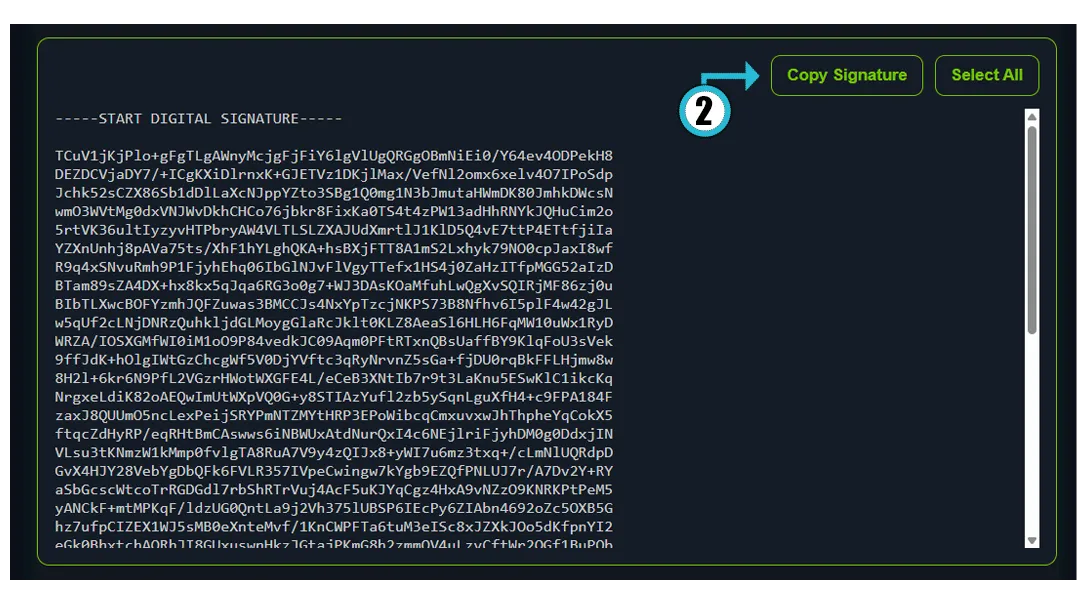
2) Copy the “DIGITAL SIGNATURE” field
In the Guarantee Letter, locate theDIGITAL SIGNATUREsection and copy the entire block (starting with-----START DIGITAL SIGNATURE-----). You can also use theCopy Signaturebutton.
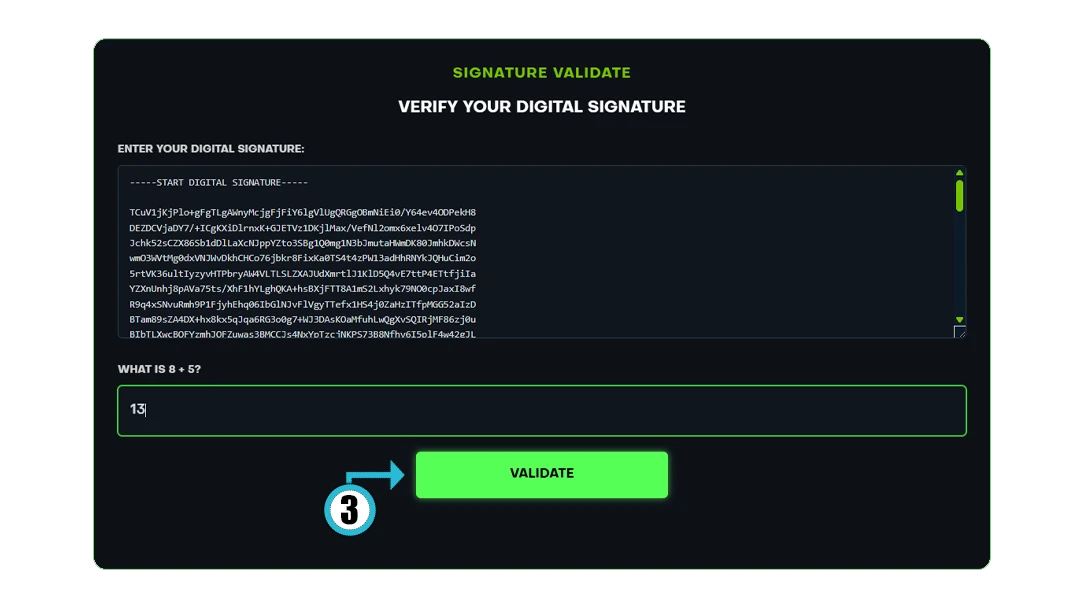
3) Paste it into the “ENTER YOUR DIGITAL SIGNATURE” field
On the Signature Validation page, paste your copied signature into theENTER YOUR DIGITAL SIGNATUREfield and click theValidatebutton.
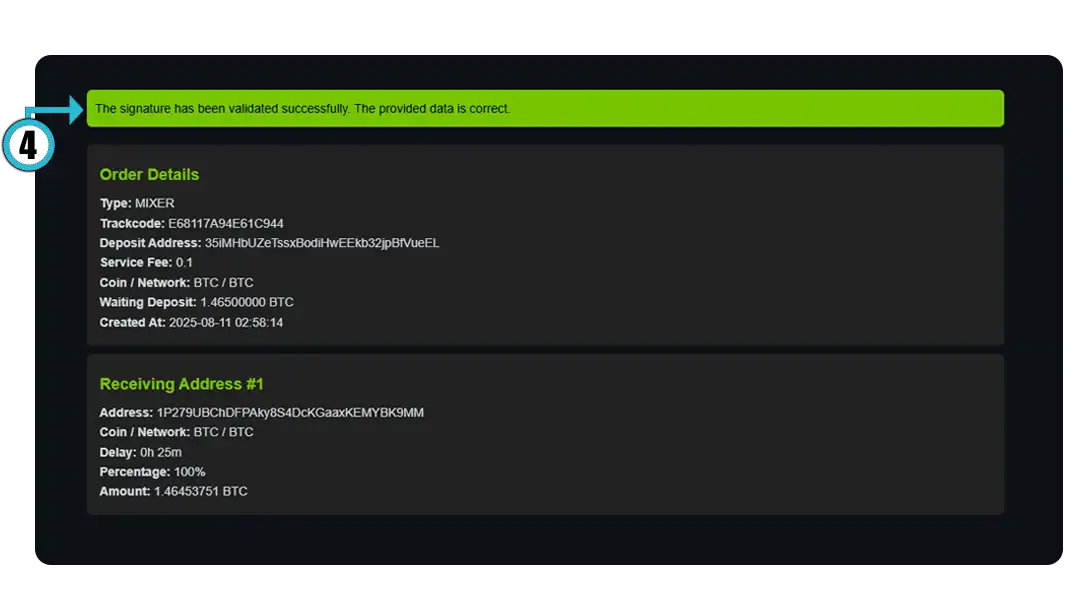
4) Check the result
If valid, you will see the “The signature has been validated successfully. The provided data is correct.” message. If invalid, make sure the Guarantee Letter belongs to you, is up to date, and the signature is copied in full.
Tip:When copying the signature block, ensure the first line
-----START DIGITAL SIGNATURE-----and the last line-----END DIGITAL SIGNATURE-----are included. Do not add extra spaces or characters.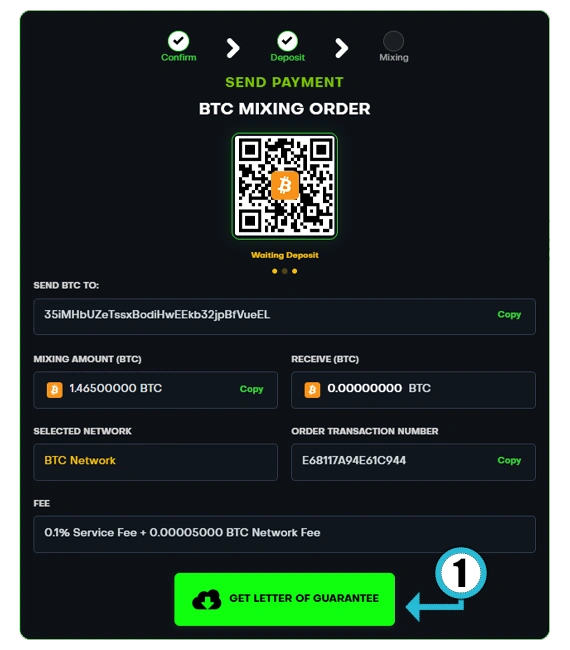
Note:The Guarantee Letter is unique for each order and can only be used to verify that specific order.
If invalid, recheck the letter and the copied block.